


Microsoft Teams: Adjust the Volume

Nov 05, 2020
 177
177
- In a Teams meeting, click the ellipses (three dots) in the options bar at the bottom and select "Show device settings."
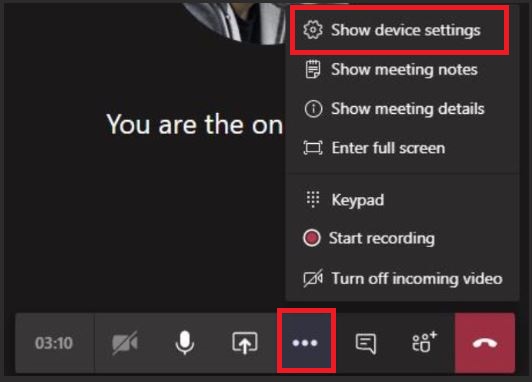
- On the "Device Settings" screen on the right of the Teams meeting, adjust the volume under Speaker.

