Encrypting Email in Outlook

Apr 28, 2025
 92
92
Encryption is essential when sending confidential company or user data because it ensures that the information remains secure and private during transmission. Encryption protects data from unauthorized access and potential cyber threats. This helps maintain the integrity and confidentiality of sensitive information, safeguarding against data breaches and ensuring compliance with privacy regulations.
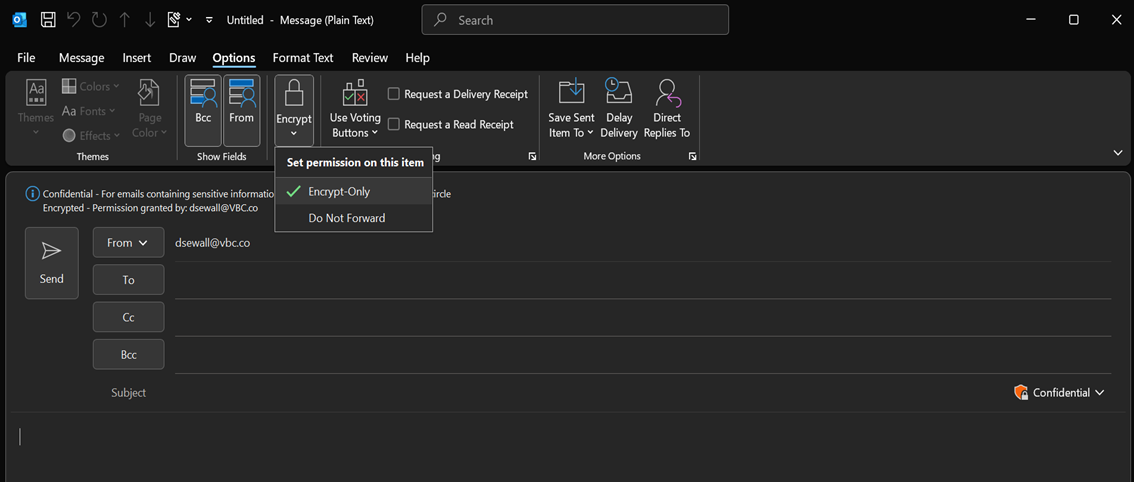
To encrypt an email in Outlook:
1) When drafting an email, click the Options tab
2) Select either:
- Encrypt
- Do Not Forward (encrypts email and doesn’t allow recipient(s) to forward it)