
Applying Sensitivity Labels in Outlook
Last updated: Jun 05, 2025
264
views

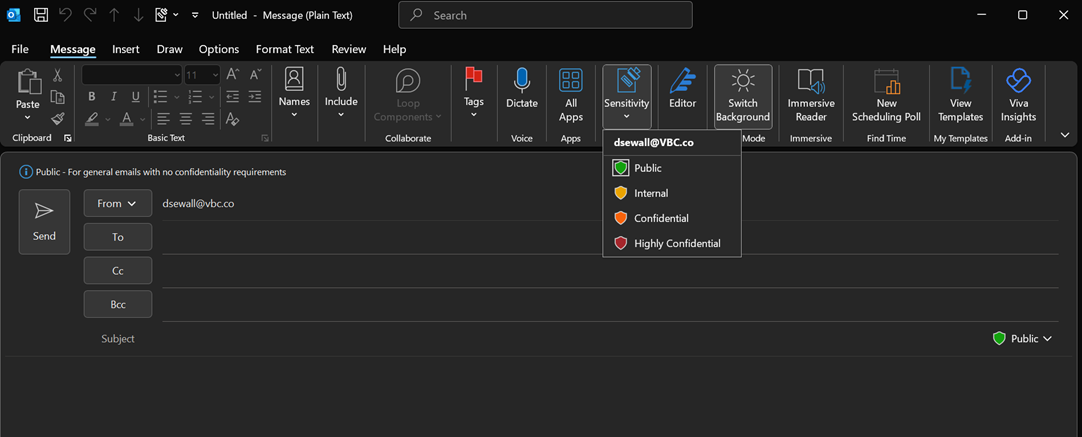
To apply a sensitivity label to an email in Outlook:
- Click New Email
- Go to Message tab
- Click Sensitivity and select one of the labels below
- Consider Encryption for Confidential/Highly Confidential (Click here to learn how to encrypt)
Sensitivity Labels: