


Outlook: Calendar Sharing

Jun 14, 2022
 140
140
If you are looking to share just your Outlook Calendar, you can do the following.
1. Open the Outlook desktop application.
2. Switch to the Calendar view.
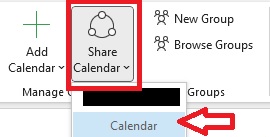
3. Click Share Calendar and select Calendar:
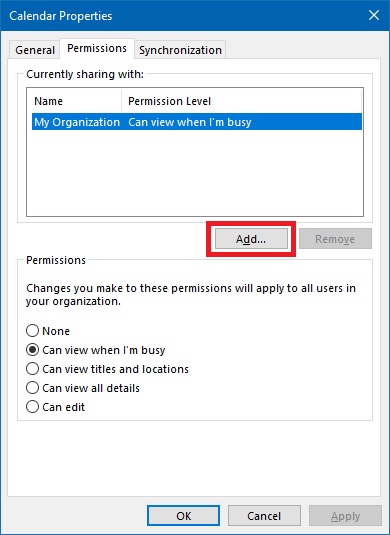
4. From the Calendar Properties dialog, click the Add... button.
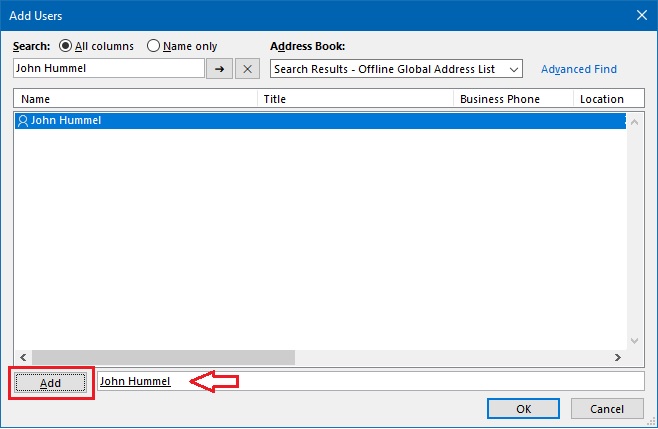
5. Search for the user you wish to add.
6. Once selected, click Add and OK.
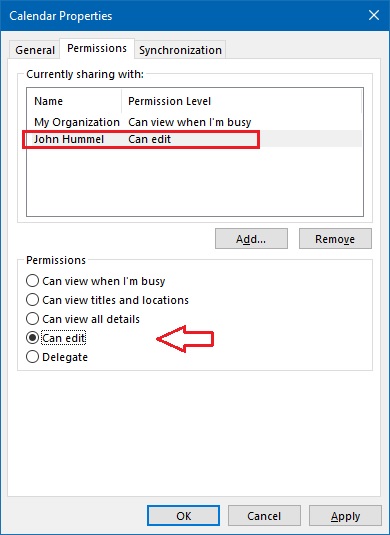
7. With the person you wish to add selected, you can pick the level of permissions you wish them to have and click OK.
Note: Once this process has been completed, it may take some time for the other party to be able to access your Calendar. Rebooting may speed up this process.
For more information, see this article from Microsoft.

