


Email: Change Password

Nov 05, 2020
 324
324
You can use these steps to reset your email password. Keep in mind that this will update the password for any system where you use your Office 365 user account.
- Browse to this site: https://account.activedirectory.windowsazure.com/ChangePassword.aspx
- Enter your "Old password," "Create new password" and "Confirm new password."
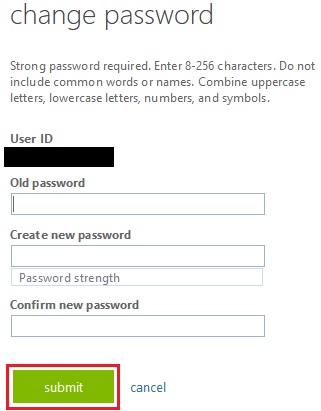
- Click "Submit."
Note: "Strong password required. Enter 8-256 characters. Do not include common words or names. Combine uppercase letters, lowercase letters, numbers, and symbols." Additional account details can be found here:

